
Introduction
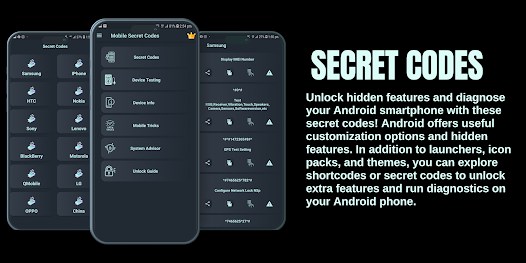
Android secret codes are special combinations that can unlock hidden settings and features on your smartphone. Many users are unaware that their devices have built-in tools that can be accessed simply by dialing certain codes. These features are usually designed for testing, debugging, or advanced settings.
If you have ever wondered how technicians check phone performance or access detailed information, android secret codes are often the answer. They provide quick access to system details without installing any apps. This makes them useful for both beginners and intermediate users who want to explore their devices further.
However, it is important to use these codes carefully. Some codes only display information, while others can change settings or even reset your device. Understanding how they work will help you use them safely and effectively.
In this guide, you will learn what android secret codes are, why they are important, and how to use them step by step. By the end, you will be able to unlock useful features and better understand your smartphone.
What is Android Secret Codes?
Android secret codes are hidden USSD or dialer codes that allow users to access system information, testing tools, and advanced settings. These codes are entered in the phone dialer just like a phone number.
For example, some codes can show device information, battery status, or network details. Others can open testing menus used by developers and technicians.
In simple terms, android secret codes are shortcuts that give you deeper control and insight into your device without using extra apps.
Why is Android Secret Codes Important?
Understanding android secret codes is important because it helps you explore your phone’s hidden capabilities. These codes can save time and provide useful information quickly.
Here are some reasons why they matter:
- Access hidden features and tools
- Check device performance and health
- Diagnose problems quickly
- Save time compared to manual settings
- Learn more about your smartphone
By using these codes correctly, you can better manage and maintain your device.
Detailed Step-by-Step Guide
1. How to Use Android Secret Codes
Using android secret codes is simple.
Steps:
- Open your phone dialer
- Enter the code exactly
- Wait for the feature to open automatically
Some codes work instantly, while others may not work on all devices.
2. Common Information Codes
These codes help you view device details.
Examples:
- *#06# – Shows IMEI number
- ##4636## – Displays phone information, battery, and usage stats
These codes are safe and useful for checking basic information.
3. Testing Codes
Testing codes help diagnose hardware issues.
Examples:
- ##0*## – Opens hardware test menu (on some devices)
- ##2664## – Touch screen test
These are helpful when checking if your phone hardware is working properly.
4. Reset and Advanced Codes
Some android secret codes can reset settings.
Examples:
- ##7780## – Factory reset (soft reset)
- 27673855# – Full factory reset
Be careful with these codes, as they can erase your data.
5. Network and Connectivity Codes
These codes provide network details.
Examples:
- ##232339## – WiFi test
- ##7262626## – Field test
They help diagnose connectivity issues.
Benefits of Android Secret Codes
Using android secret codes offers several advantages:
- Quick access to hidden features
- Easy device testing and troubleshooting
- No need for extra apps
- Better understanding of phone functions
- Useful for technical checks
- Time-saving shortcuts
- Improved device maintenance
These benefits make them useful for both beginners and experienced users.
Disadvantages / Risks
Despite their usefulness, there are some risks:
- Some codes may not work on all devices
- Wrong use can reset your phone
- Data loss from reset codes
- Confusion for beginners
- Limited support from manufacturers
Always use codes carefully and understand their function before trying them.
Common Mistakes to Avoid
Many users make mistakes while using android secret codes.
Avoid these:
- Using unknown codes without research
- Trying reset codes without backup
- Entering codes incorrectly
- Expecting all codes to work on every device
- Ignoring warnings
For example, using a factory reset code without backup can lead to permanent data loss.
FAQs
1. Are android secret codes safe?
Yes, most information codes are safe. However, reset codes should be used carefully as they can erase data.
2. Do these codes work on all Android phones?
No, some codes are device-specific and may not work on every phone.
3. Can I damage my phone using these codes?
You cannot physically damage your phone, but incorrect use can delete data or change settings.
4. Do I need internet to use these codes?
No, android secret codes work offline through the dialer.
5. Why are some codes not working?
Some manufacturers disable certain codes for security reasons.
6. Can beginners use android secret codes?
Yes, beginners can use safe codes for information, but should avoid advanced or reset codes.
Expert Tips & Bonus Points
Here are some expert tips for using android secret codes safely:
- Always research a code before using it
- Start with basic information codes
- Avoid reset codes unless necessary
- Keep a backup of your data
- Use codes only from trusted sources
For example, checking your IMEI using a code is safe and helpful, but using reset codes without knowledge can cause problems.
Another useful tip is to combine these codes with regular phone maintenance for better performance.
Conclusion
Android secret codes are powerful tools that can help you unlock hidden features and better understand your smartphone. Many users are unaware of these codes, which means they miss out on useful functions that are already built into their devices.
By learning how to use android secret codes, you can quickly access important information, test your phone, and troubleshoot problems. These codes are especially useful for saving time and avoiding the need for extra apps.
