


Small teams run on shared tasks, deadlines, and messages. When all of that lives in chats and sticky notes, work slips through the cracks. A project management tool fixes that, and you do not need to pay for one. This guide compares the best free project management tools for small teams in 2026, with honest notes on each free plan and its limits. You will learn which tool fits a visual team, which one fits a team that loves lists, and which free plan is the most generous. Every tool below has a free plan you can start today, so your team can get organized without spending a cent.
What to Look for in a Free Project Management Tool
Free plans are not all the same. Some are generous and grow with your team, while others are small trials in disguise. Check these five points before you pick one of the free project management tools below.
- Team size limit. Some free plans cover 2 users, others cover 30 or even unlimited users. Pick one that fits your whole team today, with room to grow.
- Views that fit your work. Kanban boards suit visual teams, list and timeline views suit planned work, and calendars suit teams with many deadlines.
- Storage limits. Free plans often limit file storage, from 100MB up to a few GB. If your team shares many files, this limit matters.
- Ease of use. The best tool is the one your team will actually open every day. A simple tool that everyone uses beats a powerful tool that nobody touches.
- Upgrade path. Check what the paid plan adds and what it costs, so you are not surprised when your team outgrows the free tier.
Keep this list beside you as you read the top eight. The right pick depends on your team size, your work style, and how much structure you need.
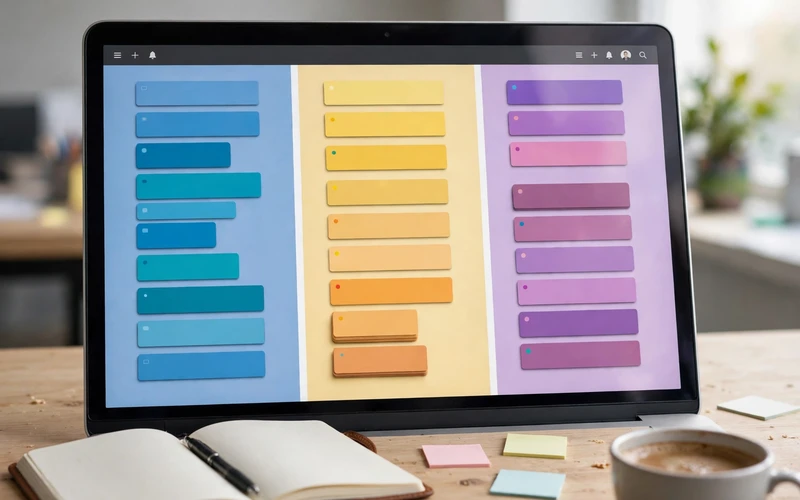
The 8 Best Free Project Management Tools for Small Teams
Here are the eight best free project management tools for small teams, from the simplest kanban board to the most complete all-in-one workspace. All of them work in a browser, and all of them have a free plan.
1. Trello
Trello is the simplest tool on this list, and it is the best pick for visual teams. Work lives on kanban boards: cards move from “to do” to “doing” to “done” with a simple drag. The free plan includes unlimited cards and up to 10 boards per workspace, plus Butler automation for routine jobs like moving cards and setting due dates. Trello is perfect for small teams that want a clear, visual view of their work without learning a complex system. See it at Trello.
2. Asana
Asana is the best pick for teams that want clean lists, boards, and timeline views in one place. The free plan covers small teams with unlimited tasks, list and board views, and a timeline view for planning. Asana feels calm and organized, and it works well for marketing teams, content teams, and small agencies. It also has goals and milestones on the free plan, so your team can track progress toward bigger targets. Learn more at Asana.
3. ClickUp
ClickUp packs the most features into a free plan. You get unlimited tasks, docs, whiteboards, and more than 15 views, including lists, boards, calendars, and Gantt-style timelines. The free plan includes 100MB of storage, which is its main limit, so teams that share many large files should watch that number. Pick ClickUp if you want everything in one place: tasks, docs, goals, and sprints, all free to start.
4. Monday.com
Monday.com is the most colorful tool on this list, with spreadsheet-style boards that are easy to read at a glance. The free plan covers up to 2 seats, so it suits very small teams or a pair of co-founders. You get more than 200 templates, color-coded boards, and simple automations. Pick Monday.com if you like visual dashboards and your team is tiny.
5. Notion
Notion is the best pick for teams that mix documents and tasks. You can build wikis, databases, and kanban boards in one flexible workspace, and the free plan covers personal use with guests. Notion suits knowledge-driven teams: writers, researchers, and small product teams who want their notes and their tasks side by side. It takes a little setup time, but once it is set up, it can replace several other tools.
6. Wrike
Wrike is the best pick for teams that need structure and approvals. The free plan covers up to 5 users and includes table views, request forms, and 2GB of storage. Wrike suits process-driven teams that need proofing and approval flows, such as design and marketing teams. It is more structured than Trello, so it fits teams that like clear steps and sign-offs.
7. Bitrix24
Bitrix24 is the best pick for teams that want a CRM next to their projects. The free plan covers up to 12 users with 5GB of storage, plus tasks, chat, and a built-in CRM for managing customers. It suits small businesses that want sales and project work in one place. The trade-off is a busier interface, so it fits teams that do not mind learning a bigger tool.
8. Freedcamp
Freedcamp is the best pick for growing teams on a tight budget. The free plan includes unlimited users and unlimited projects, with milestones, time tracking, and task lists. File uploads are limited to 10MB per file on the free plan, so it suits teams that do not share large files. If your team is growing fast and you need room for everyone at zero cost, Freedcamp is hard to beat.
One more name worth knowing: ONES.com offers a free plan for up to 30 users with Jira-style workflows and on-premise deployment, which is the most generous seat limit on the free market. It suits software teams that want agile sprints without paying for Jira.

Trello vs Asana Free: Which Is Better for Your Team?
Trello vs Asana free is the most common comparison for small teams, because both are free, popular, and easy to start. Trello wins if your team thinks in pictures: its kanban boards are simple, visual, and fast to learn. A team can start in minutes, and Butler automation handles the boring jobs. Asana wins if your team needs more structure: lists, timelines, goals, and milestones in one calm workspace. Asana is better for planned work with many steps and owners, while Trello is better for simple flows with a clear “done” state. Try this test: if your work fits on one board with three columns, pick Trello. If your work needs a timeline and milestones, pick Asana. Both have free plans, so you can try each for a week and keep the one your team opens every morning.
How to Pick the Right Tool in 4 Steps
Do not pick a tool from a list alone. Run this quick test with your team and you will choose well.
- Count your team and your projects. Write down how many people need access and how many projects you run at once. This rules out free plans with tight limits right away.
- Name your must-have view. Ask the team whether they want a board, a list, or a calendar. The answer points you to the right tool in minutes.
- Run a one-week trial. Move one real project into your top two choices and use them for a week. Watch which one the team opens without being asked.
- Check the upgrade cost. Look at what the paid plan costs per user and what it adds. A cheap free plan with an expensive upgrade can trap a growing team.
After the trial, pick the tool your team actually used, not the one with the longest feature list. If your team also makes its own graphics, our guide on how to use Canva for beginners pairs well with any tool on this list.
Frequently Asked Questions
What is the best free project management tool for small teams?
There is no single best tool for every team. Trello is best for simple visual work, Asana is best for structured lists and timelines, and ClickUp is best if you want the most features for free. Pick the one that matches how your team already works.
Are free project management tools really free?
Yes, the tools on this list all have free plans with no time limit. Each free plan has limits, such as team size, boards, or storage, and the vendors earn money when teams upgrade. Read the limits before you commit your whole team.
Which free project management tool has unlimited users?
Freedcamp offers unlimited users and unlimited projects on its free plan. ClickUp also offers unlimited users on its free plan, with a 100MB storage limit. ONES.com is another generous option, with a free plan for up to 30 users.
Is Trello or Asana better for a small team?
Trello is better if your team wants a simple visual board and fast setup. Asana is better if your team wants lists, timelines, and milestones. Both are free to try, so test each one for a week with a real project and keep the one your team uses more.
Can a small team use Notion as a project management tool?
Yes. Notion works well for small teams that want docs, wikis, and tasks in one place. Its free plan covers personal use with guests, and you can build kanban boards and databases for your projects. It needs more setup than Trello or Asana, but it is very flexible once it is ready.
Final Thoughts: Best Free Project Management Tools for Small Teams
The best free project management tools for small teams in 2026 give you real power at zero cost: Trello for visual boards, Asana for clean structure, ClickUp for all-in-one features, and Freedcamp for unlimited users. Start with the free plan, run a one-week trial with a real project, and keep the tool your team actually opens every day. The right tool is the one that makes work visible, keeps deadlines clear, and gets out of the way. For more simple software guides, visit the TechOnPeak homepage or browse our Software Guides.
